Native by design
Built in Rust, with native desktop tools and GPU rendering. Designed for responsive editing and efficient use of your computer’s resources.
 Teach3D
Get the Alpha
Teach3D
Get the Alpha
A spark of curiosity, a few basic shapes, and just like that - you’ve made something all your own.
Meet the free desktop 3D editor for kids aged 8–12 and CAD beginners.
Windows & macOS · Free for everyone · Without internet
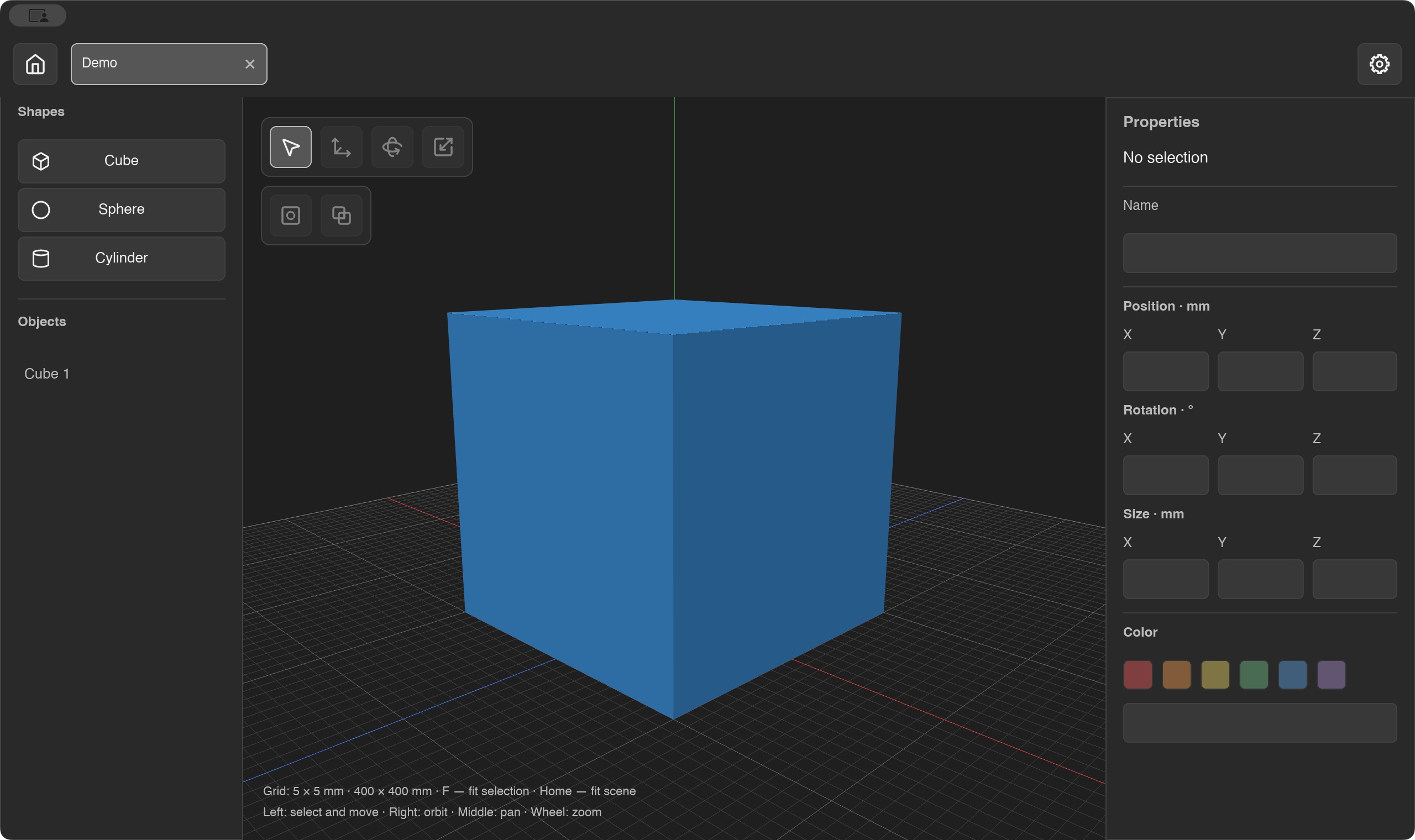
You don't need to know CAD to get started.
Teach3D makes room for experimenting, understanding, and trying again.
Built in Rust, with native desktop tools and GPU rendering. Designed for responsive editing and efficient use of your computer’s resources.
Create, save, and reopen your work locally. No account or internet connection needed to use the desktop editor.
Free for everyone. A welcoming place for young makers, families, and teachers to take their first steps into CAD.
Make a simple name tag blank. Along the way, learn how shapes, dimensions, and subtraction become a model you can hold.
Set its dimensions to 60 × 6 × 30 mm to make a flat blank.
Add a cylinder, position it near an edge, mark it as a hole, and combine.
Save your .t3d project, export STL, and open it in a slicer for 3D printing.
The desktop editor comes first. Then more ways to learn, share, and create together.
Simple shapes, dimensions, holes, project files, and STL export. An early desktop experience for macOS and Windows.
Develop the 3D editor, refine everyday workflows, and add guided projects, lesson templates, and model examples.
A cloud platform for creators, teachers, and students: saved projects, classes, shared work, and assignments.
Explore Claude Code and third-party MCP integrations to create and edit models from text and help teachers prepare activities.

A future with AI-assisted creation. Planned integrations will connect modeling tools to natural-language workflows.
Teach3D is currently in alpha testing.
Available for macOS and Windows only.
This is an early version. Features and workflows may change, and bugs may occur.
Yes. Teach3D is free for everyone to use. Free access does not mean the source code is open source.
Kids aged 8-12 discovering 3D modeling, teachers guiding their first projects, and anyone taking their first steps into CAD. Children can explore with a teacher or adult.
No. The current editor version works locally without an account or internet connection.
The Alpha is for macOS and Windows only. Supported architectures and installation details will be listed alongside each release when download links are available.
Teach3D is still in early testing. You can explore the core modeling workflow, but bugs and rough edges remain. STL import, cloud classrooms, and AI integrations are not available in this version.